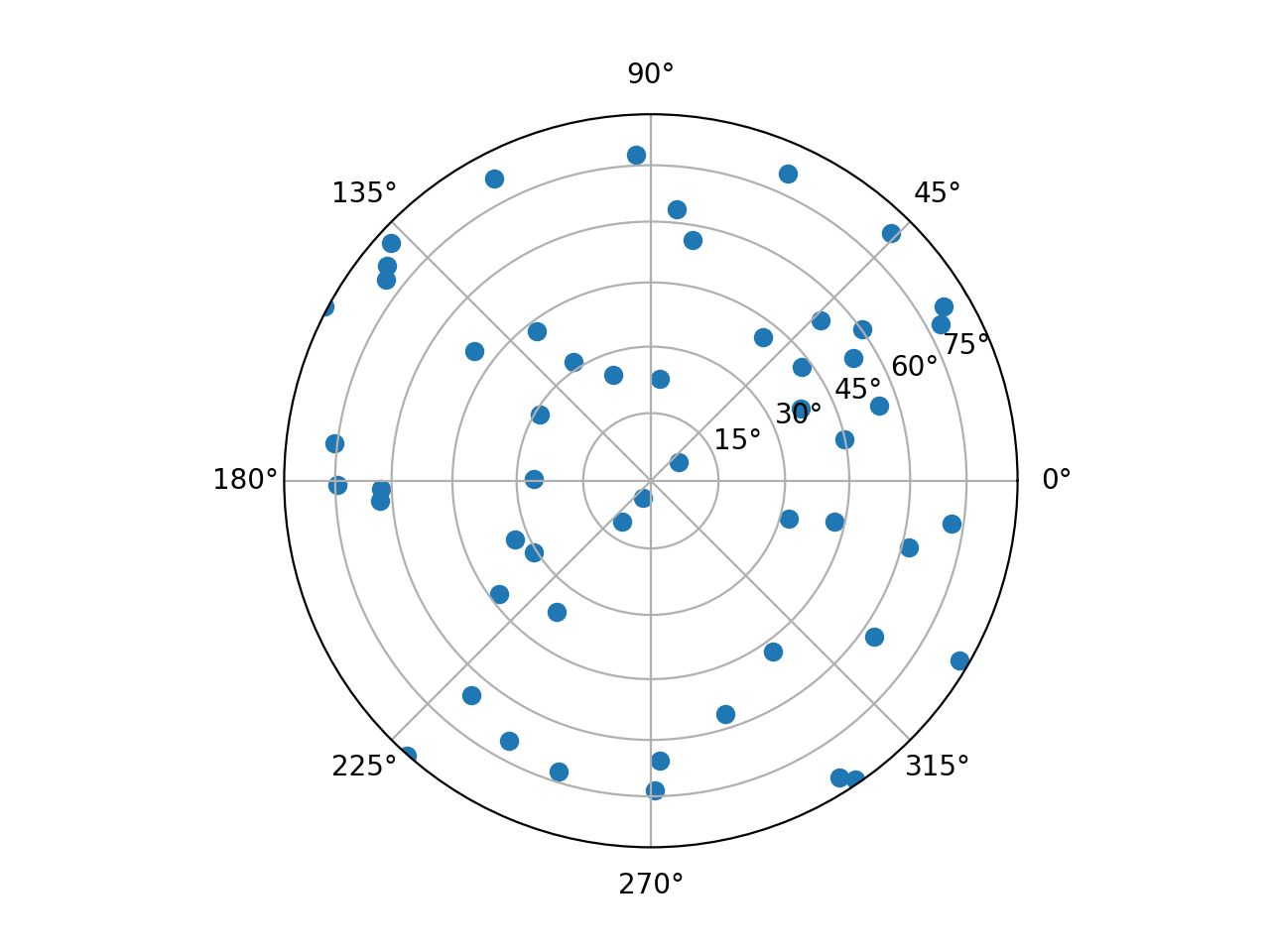
elasticipy.polefigure
- class elasticipy.polefigure.LambertScale(axis)[source]
Bases:
ScaleBaseConstruct a new scale.
Notes
The following note is for scale implementers.
For back-compatibility reasons, scales take an ~matplotlib.axis.Axis object as first argument. However, this argument should not be used: a single scale object should be usable by multiple ~matplotlib.axis.Axises at the same time.
- class InvertedLambertTransform(shorthand_name=None)[source]
Bases:
Transform- Parameters:
shorthand_name (str) – A string representing the “name” of the transform. The name carries no significance other than to improve the readability of
str(transform)when DEBUG=True.
- contains_branch(other)[source]
Return whether the given transform is a sub-tree of this transform.
This routine uses transform equality to identify sub-trees, therefore in many situations it is object id which will be used.
For the case where the given transform represents the whole of this transform, returns True.
- contains_branch_seperately(other_transform)[source]
Return whether the given branch is a sub-tree of this transform on each separate dimension.
A common use for this method is to identify if a transform is a blended transform containing an Axes’ data transform. e.g.:
x_isdata, y_isdata = trans.contains_branch_seperately(ax.transData)
- property depth[source]
Return the number of transforms which have been chained together to form this Transform instance.
Note
For the special case of a Composite transform, the maximum depth of the two is returned.
- frozen()[source]
Return a frozen copy of this transform node. The frozen copy will not be updated when its children change. Useful for storing a previously known state of a transform where
copy.deepcopy()might normally be used.
- input_dims = 1[source]
The number of input dimensions of this transform. Must be overridden (with integers) in the subclass.
- invalidate()[source]
Invalidate this TransformNode and triggers an invalidation of its ancestors. Should be called any time the transform changes.
- inverted()[source]
Return the corresponding inverse transformation.
It holds
x == self.inverted().transform(self.transform(x)).The return value of this method should be treated as temporary. An update to self does not cause a corresponding update to its inverted copy.
- output_dims = 1[source]
The number of output dimensions of this transform. Must be overridden (with integers) in the subclass.
- pass_through = False[source]
If pass_through is True, all ancestors will always be invalidated, even if ‘self’ is already invalid.
- set_children(*children)[source]
Set the children of the transform, to let the invalidation system know which transforms can invalidate this transform. Should be called from the constructor of any transforms that depend on other transforms.
- transform(values)[source]
Apply this transformation on the given array of values.
- Parameters:
values (array-like) – The input values as an array of length
input_dimsor shape (N,input_dims).- Returns:
The output values as an array of length
output_dimsor shape (N,output_dims), depending on the input.- Return type:
array
- transform_affine(values)[source]
Apply only the affine part of this transformation on the given array of values.
transform(values)is always equivalent totransform_affine(transform_non_affine(values)).In non-affine transformations, this is generally a no-op. In affine transformations, this is equivalent to
transform(values).- Parameters:
values (array) – The input values as an array of length
input_dimsor shape (N,input_dims).- Returns:
The output values as an array of length
output_dimsor shape (N,output_dims), depending on the input.- Return type:
array
- transform_angles(angles, pts, radians=False, pushoff=1e-05)[source]
Transform a set of angles anchored at specific locations.
- Parameters:
angles ((N,) array-like) – The angles to transform.
pts ((N, 2) array-like) – The points where the angles are anchored.
radians (bool, default: False) – Whether angles are radians or degrees.
pushoff (float) – For each point in pts and angle in angles, the transformed angle is computed by transforming a segment of length pushoff starting at that point and making that angle relative to the horizontal axis, and measuring the angle between the horizontal axis and the transformed segment.
- Return type:
(N,) array
- transform_bbox(bbox)[source]
Transform the given bounding box.
For smarter transforms including caching (a common requirement in Matplotlib), see TransformedBbox.
- transform_non_affine(r)[source]
Apply only the non-affine part of this transformation.
transform(values)is always equivalent totransform_affine(transform_non_affine(values)).In non-affine transformations, this is generally equivalent to
transform(values). In affine transformations, this is always a no-op.- Parameters:
values (array) – The input values as an array of length
input_dimsor shape (N,input_dims).- Returns:
The output values as an array of length
output_dimsor shape (N,output_dims), depending on the input.- Return type:
array
- transform_path(path)[source]
Apply the transform to .Path path, returning a new .Path.
In some cases, this transform may insert curves into the path that began as line segments.
- transform_path_affine(path)[source]
Apply the affine part of this transform to .Path path, returning a new .Path.
transform_path(path)is equivalent totransform_path_affine(transform_path_non_affine(values)).
- transform_path_non_affine(path)[source]
Apply the non-affine part of this transform to .Path path, returning a new .Path.
transform_path(path)is equivalent totransform_path_affine(transform_path_non_affine(values)).
- transform_point(point)[source]
Return a transformed point.
This function is only kept for backcompatibility; the more general .transform method is capable of transforming both a list of points and a single point.
The point is given as a sequence of length
input_dims. The transformed point is returned as a sequence of lengthoutput_dims.
- class LambertTransform(shorthand_name=None)[source]
Bases:
Transform- Parameters:
shorthand_name (str) – A string representing the “name” of the transform. The name carries no significance other than to improve the readability of
str(transform)when DEBUG=True.
- contains_branch(other)[source]
Return whether the given transform is a sub-tree of this transform.
This routine uses transform equality to identify sub-trees, therefore in many situations it is object id which will be used.
For the case where the given transform represents the whole of this transform, returns True.
- contains_branch_seperately(other_transform)[source]
Return whether the given branch is a sub-tree of this transform on each separate dimension.
A common use for this method is to identify if a transform is a blended transform containing an Axes’ data transform. e.g.:
x_isdata, y_isdata = trans.contains_branch_seperately(ax.transData)
- property depth[source]
Return the number of transforms which have been chained together to form this Transform instance.
Note
For the special case of a Composite transform, the maximum depth of the two is returned.
- frozen()[source]
Return a frozen copy of this transform node. The frozen copy will not be updated when its children change. Useful for storing a previously known state of a transform where
copy.deepcopy()might normally be used.
- input_dims = 1[source]
The number of input dimensions of this transform. Must be overridden (with integers) in the subclass.
- invalidate()[source]
Invalidate this TransformNode and triggers an invalidation of its ancestors. Should be called any time the transform changes.
- inverted()[source]
Return the corresponding inverse transformation.
It holds
x == self.inverted().transform(self.transform(x)).The return value of this method should be treated as temporary. An update to self does not cause a corresponding update to its inverted copy.
- output_dims = 1[source]
The number of output dimensions of this transform. Must be overridden (with integers) in the subclass.
- pass_through = False[source]
If pass_through is True, all ancestors will always be invalidated, even if ‘self’ is already invalid.
- set_children(*children)[source]
Set the children of the transform, to let the invalidation system know which transforms can invalidate this transform. Should be called from the constructor of any transforms that depend on other transforms.
- transform(values)[source]
Apply this transformation on the given array of values.
- Parameters:
values (array-like) – The input values as an array of length
input_dimsor shape (N,input_dims).- Returns:
The output values as an array of length
output_dimsor shape (N,output_dims), depending on the input.- Return type:
array
- transform_affine(values)[source]
Apply only the affine part of this transformation on the given array of values.
transform(values)is always equivalent totransform_affine(transform_non_affine(values)).In non-affine transformations, this is generally a no-op. In affine transformations, this is equivalent to
transform(values).- Parameters:
values (array) – The input values as an array of length
input_dimsor shape (N,input_dims).- Returns:
The output values as an array of length
output_dimsor shape (N,output_dims), depending on the input.- Return type:
array
- transform_angles(angles, pts, radians=False, pushoff=1e-05)[source]
Transform a set of angles anchored at specific locations.
- Parameters:
angles ((N,) array-like) – The angles to transform.
pts ((N, 2) array-like) – The points where the angles are anchored.
radians (bool, default: False) – Whether angles are radians or degrees.
pushoff (float) – For each point in pts and angle in angles, the transformed angle is computed by transforming a segment of length pushoff starting at that point and making that angle relative to the horizontal axis, and measuring the angle between the horizontal axis and the transformed segment.
- Return type:
(N,) array
- transform_bbox(bbox)[source]
Transform the given bounding box.
For smarter transforms including caching (a common requirement in Matplotlib), see TransformedBbox.
- transform_non_affine(theta)[source]
Apply only the non-affine part of this transformation.
transform(values)is always equivalent totransform_affine(transform_non_affine(values)).In non-affine transformations, this is generally equivalent to
transform(values). In affine transformations, this is always a no-op.- Parameters:
values (array) – The input values as an array of length
input_dimsor shape (N,input_dims).- Returns:
The output values as an array of length
output_dimsor shape (N,output_dims), depending on the input.- Return type:
array
- transform_path(path)[source]
Apply the transform to .Path path, returning a new .Path.
In some cases, this transform may insert curves into the path that began as line segments.
- transform_path_affine(path)[source]
Apply the affine part of this transform to .Path path, returning a new .Path.
transform_path(path)is equivalent totransform_path_affine(transform_path_non_affine(values)).
- transform_path_non_affine(path)[source]
Apply the non-affine part of this transform to .Path path, returning a new .Path.
transform_path(path)is equivalent totransform_path_affine(transform_path_non_affine(values)).
- transform_point(point)[source]
Return a transformed point.
This function is only kept for backcompatibility; the more general .transform method is capable of transforming both a list of points and a single point.
The point is given as a sequence of length
input_dims. The transformed point is returned as a sequence of lengthoutput_dims.
- class elasticipy.polefigure.StereographicScale(axis)[source]
Bases:
ScaleBaseConstruct a new scale.
Notes
The following note is for scale implementers.
For back-compatibility reasons, scales take an ~matplotlib.axis.Axis object as first argument. However, this argument should not be used: a single scale object should be usable by multiple ~matplotlib.axis.Axises at the same time.
- class InvertedStereographicTransform(shorthand_name=None)[source]
Bases:
Transform- Parameters:
shorthand_name (str) – A string representing the “name” of the transform. The name carries no significance other than to improve the readability of
str(transform)when DEBUG=True.
- contains_branch(other)[source]
Return whether the given transform is a sub-tree of this transform.
This routine uses transform equality to identify sub-trees, therefore in many situations it is object id which will be used.
For the case where the given transform represents the whole of this transform, returns True.
- contains_branch_seperately(other_transform)[source]
Return whether the given branch is a sub-tree of this transform on each separate dimension.
A common use for this method is to identify if a transform is a blended transform containing an Axes’ data transform. e.g.:
x_isdata, y_isdata = trans.contains_branch_seperately(ax.transData)
- property depth[source]
Return the number of transforms which have been chained together to form this Transform instance.
Note
For the special case of a Composite transform, the maximum depth of the two is returned.
- frozen()[source]
Return a frozen copy of this transform node. The frozen copy will not be updated when its children change. Useful for storing a previously known state of a transform where
copy.deepcopy()might normally be used.
- input_dims = 1[source]
The number of input dimensions of this transform. Must be overridden (with integers) in the subclass.
- invalidate()[source]
Invalidate this TransformNode and triggers an invalidation of its ancestors. Should be called any time the transform changes.
- inverted()[source]
Return the corresponding inverse transformation.
It holds
x == self.inverted().transform(self.transform(x)).The return value of this method should be treated as temporary. An update to self does not cause a corresponding update to its inverted copy.
- output_dims = 1[source]
The number of output dimensions of this transform. Must be overridden (with integers) in the subclass.
- pass_through = False[source]
If pass_through is True, all ancestors will always be invalidated, even if ‘self’ is already invalid.
- set_children(*children)[source]
Set the children of the transform, to let the invalidation system know which transforms can invalidate this transform. Should be called from the constructor of any transforms that depend on other transforms.
- transform(values)[source]
Apply this transformation on the given array of values.
- Parameters:
values (array-like) – The input values as an array of length
input_dimsor shape (N,input_dims).- Returns:
The output values as an array of length
output_dimsor shape (N,output_dims), depending on the input.- Return type:
array
- transform_affine(values)[source]
Apply only the affine part of this transformation on the given array of values.
transform(values)is always equivalent totransform_affine(transform_non_affine(values)).In non-affine transformations, this is generally a no-op. In affine transformations, this is equivalent to
transform(values).- Parameters:
values (array) – The input values as an array of length
input_dimsor shape (N,input_dims).- Returns:
The output values as an array of length
output_dimsor shape (N,output_dims), depending on the input.- Return type:
array
- transform_angles(angles, pts, radians=False, pushoff=1e-05)[source]
Transform a set of angles anchored at specific locations.
- Parameters:
angles ((N,) array-like) – The angles to transform.
pts ((N, 2) array-like) – The points where the angles are anchored.
radians (bool, default: False) – Whether angles are radians or degrees.
pushoff (float) – For each point in pts and angle in angles, the transformed angle is computed by transforming a segment of length pushoff starting at that point and making that angle relative to the horizontal axis, and measuring the angle between the horizontal axis and the transformed segment.
- Return type:
(N,) array
- transform_bbox(bbox)[source]
Transform the given bounding box.
For smarter transforms including caching (a common requirement in Matplotlib), see TransformedBbox.
- transform_non_affine(r)[source]
Apply only the non-affine part of this transformation.
transform(values)is always equivalent totransform_affine(transform_non_affine(values)).In non-affine transformations, this is generally equivalent to
transform(values). In affine transformations, this is always a no-op.- Parameters:
values (array) – The input values as an array of length
input_dimsor shape (N,input_dims).- Returns:
The output values as an array of length
output_dimsor shape (N,output_dims), depending on the input.- Return type:
array
- transform_path(path)[source]
Apply the transform to .Path path, returning a new .Path.
In some cases, this transform may insert curves into the path that began as line segments.
- transform_path_affine(path)[source]
Apply the affine part of this transform to .Path path, returning a new .Path.
transform_path(path)is equivalent totransform_path_affine(transform_path_non_affine(values)).
- transform_path_non_affine(path)[source]
Apply the non-affine part of this transform to .Path path, returning a new .Path.
transform_path(path)is equivalent totransform_path_affine(transform_path_non_affine(values)).
- transform_point(point)[source]
Return a transformed point.
This function is only kept for backcompatibility; the more general .transform method is capable of transforming both a list of points and a single point.
The point is given as a sequence of length
input_dims. The transformed point is returned as a sequence of lengthoutput_dims.
- class StereographicTransform(shorthand_name=None)[source]
Bases:
Transform- Parameters:
shorthand_name (str) – A string representing the “name” of the transform. The name carries no significance other than to improve the readability of
str(transform)when DEBUG=True.
- contains_branch(other)[source]
Return whether the given transform is a sub-tree of this transform.
This routine uses transform equality to identify sub-trees, therefore in many situations it is object id which will be used.
For the case where the given transform represents the whole of this transform, returns True.
- contains_branch_seperately(other_transform)[source]
Return whether the given branch is a sub-tree of this transform on each separate dimension.
A common use for this method is to identify if a transform is a blended transform containing an Axes’ data transform. e.g.:
x_isdata, y_isdata = trans.contains_branch_seperately(ax.transData)
- property depth[source]
Return the number of transforms which have been chained together to form this Transform instance.
Note
For the special case of a Composite transform, the maximum depth of the two is returned.
- frozen()[source]
Return a frozen copy of this transform node. The frozen copy will not be updated when its children change. Useful for storing a previously known state of a transform where
copy.deepcopy()might normally be used.
- input_dims = 1[source]
The number of input dimensions of this transform. Must be overridden (with integers) in the subclass.
- invalidate()[source]
Invalidate this TransformNode and triggers an invalidation of its ancestors. Should be called any time the transform changes.
- inverted()[source]
Return the corresponding inverse transformation.
It holds
x == self.inverted().transform(self.transform(x)).The return value of this method should be treated as temporary. An update to self does not cause a corresponding update to its inverted copy.
- output_dims = 1[source]
The number of output dimensions of this transform. Must be overridden (with integers) in the subclass.
- pass_through = False[source]
If pass_through is True, all ancestors will always be invalidated, even if ‘self’ is already invalid.
- set_children(*children)[source]
Set the children of the transform, to let the invalidation system know which transforms can invalidate this transform. Should be called from the constructor of any transforms that depend on other transforms.
- transform(values)[source]
Apply this transformation on the given array of values.
- Parameters:
values (array-like) – The input values as an array of length
input_dimsor shape (N,input_dims).- Returns:
The output values as an array of length
output_dimsor shape (N,output_dims), depending on the input.- Return type:
array
- transform_affine(values)[source]
Apply only the affine part of this transformation on the given array of values.
transform(values)is always equivalent totransform_affine(transform_non_affine(values)).In non-affine transformations, this is generally a no-op. In affine transformations, this is equivalent to
transform(values).- Parameters:
values (array) – The input values as an array of length
input_dimsor shape (N,input_dims).- Returns:
The output values as an array of length
output_dimsor shape (N,output_dims), depending on the input.- Return type:
array
- transform_angles(angles, pts, radians=False, pushoff=1e-05)[source]
Transform a set of angles anchored at specific locations.
- Parameters:
angles ((N,) array-like) – The angles to transform.
pts ((N, 2) array-like) – The points where the angles are anchored.
radians (bool, default: False) – Whether angles are radians or degrees.
pushoff (float) – For each point in pts and angle in angles, the transformed angle is computed by transforming a segment of length pushoff starting at that point and making that angle relative to the horizontal axis, and measuring the angle between the horizontal axis and the transformed segment.
- Return type:
(N,) array
- transform_bbox(bbox)[source]
Transform the given bounding box.
For smarter transforms including caching (a common requirement in Matplotlib), see TransformedBbox.
- transform_non_affine(theta)[source]
Apply only the non-affine part of this transformation.
transform(values)is always equivalent totransform_affine(transform_non_affine(values)).In non-affine transformations, this is generally equivalent to
transform(values). In affine transformations, this is always a no-op.- Parameters:
values (array) – The input values as an array of length
input_dimsor shape (N,input_dims).- Returns:
The output values as an array of length
output_dimsor shape (N,output_dims), depending on the input.- Return type:
array
- transform_path(path)[source]
Apply the transform to .Path path, returning a new .Path.
In some cases, this transform may insert curves into the path that began as line segments.
- transform_path_affine(path)[source]
Apply the affine part of this transform to .Path path, returning a new .Path.
transform_path(path)is equivalent totransform_path_affine(transform_path_non_affine(values)).
- transform_path_non_affine(path)[source]
Apply the non-affine part of this transform to .Path path, returning a new .Path.
transform_path(path)is equivalent totransform_path_affine(transform_path_non_affine(values)).
- transform_point(point)[source]
Return a transformed point.
This function is only kept for backcompatibility; the more general .transform method is capable of transforming both a list of points and a single point.
The point is given as a sequence of length
input_dims. The transformed point is returned as a sequence of lengthoutput_dims.
- elasticipy.polefigure.add_polefigure(fig, *args, projection='stereographic', **kwargs)[source]
Add a pole figure to the figure object.
- Parameters:
fig (matplotlib.figure.Figure) – Handle to an existing figure
args (list) – Positional arguments to pass to the subplot constructor
projection (str, optional) – Projection to use. It can be ‘stereographic’ (default), ‘equal area’ or ‘lambert’ (which is equivalent to equal area).
kwargs – Keyword arguments to pass to the subplot constructor
- Returns:
Handle to the added axes
- Return type:
matplotlib.axes._subplots.AxesSubplot
Examples
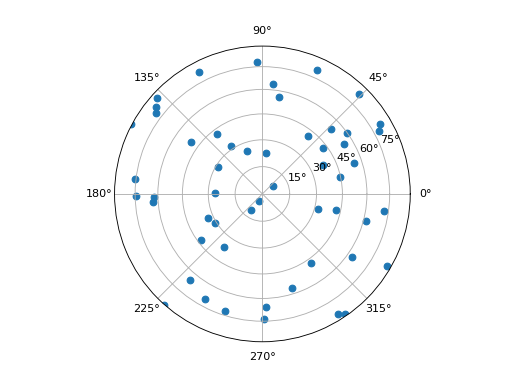
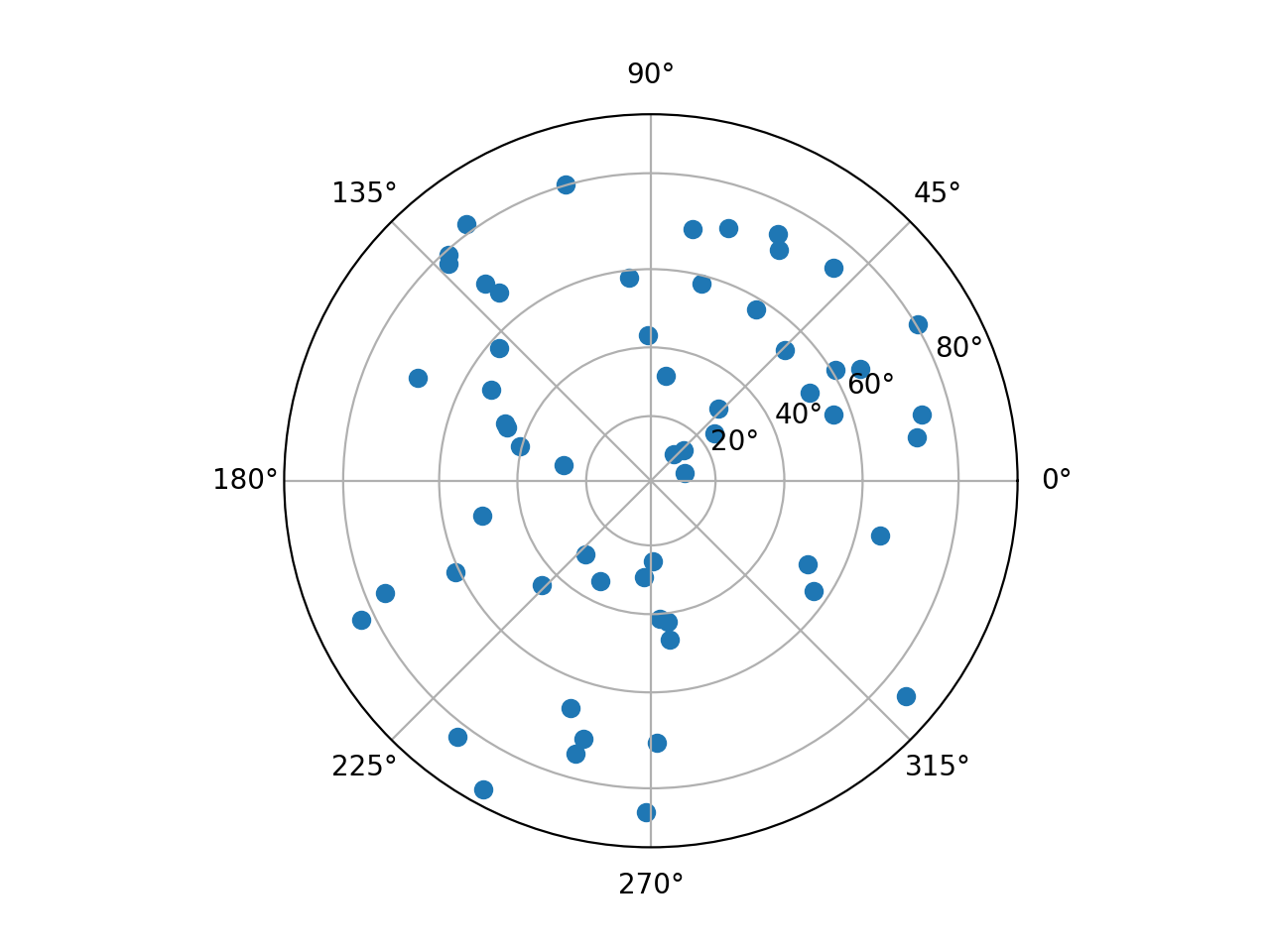
Make the stereographic projection of random points on the unit sphere:
import numpy as np
from elasticipy.polefigure import add_polefigure
from matplotlib import pyplot as plt

coords = np.random.normal(size=(100, 3))   # Random point in 3D space
r = np.linalg.norm(coords, axis=1)  # Convert cartesian to polar coordinates
theta = np.arccos(coords[:,2] / r)  # colatitude
phi = np.arctan2(coords[:,1], coords[:, 0]) # azimuth

fig = plt.figure()
ax = add_polefigure(fig)
ax.scatter(phi, theta)
ax.set_rlim(0.0, np.pi / 2)    # Ensure that the scaling is appropriate
fig.show()
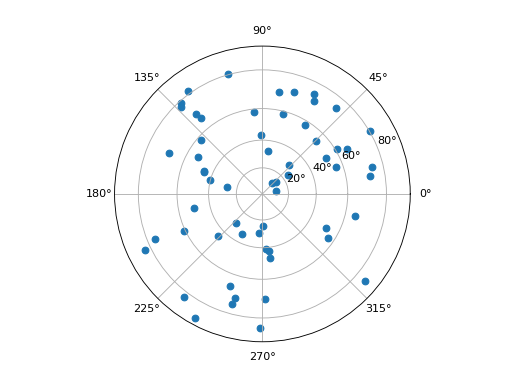
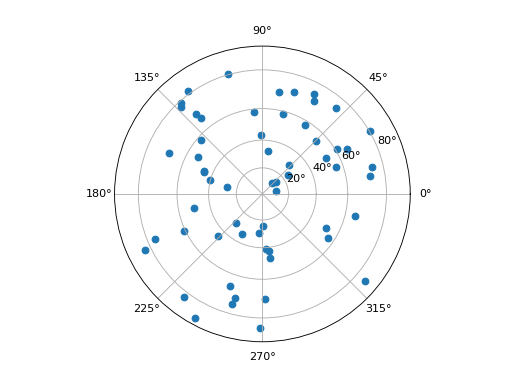
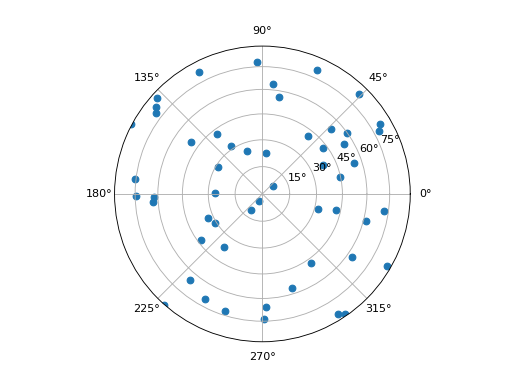
Make the Lambert projection of random points on the unit sphere:
import numpy as np
from elasticipy.polefigure import add_polefigure
from matplotlib import pyplot as plt

coords = np.random.normal(size=(100, 3))   # Random point in 3D space
r = np.linalg.norm(coords, axis=1)  # Convert cartesian to polar coordinates
theta = np.arccos(coords[:,2] / r)  # colatitude
phi = np.arctan2(coords[:,1], coords[:, 0]) # azimuth

fig = plt.figure()
ax = add_polefigure(fig, projection='lambert')
ax.scatter(phi, theta)
ax.set_rlim(0.0, np.pi / 2)    # Ensure that the scaling is appropriate
fig.show()